

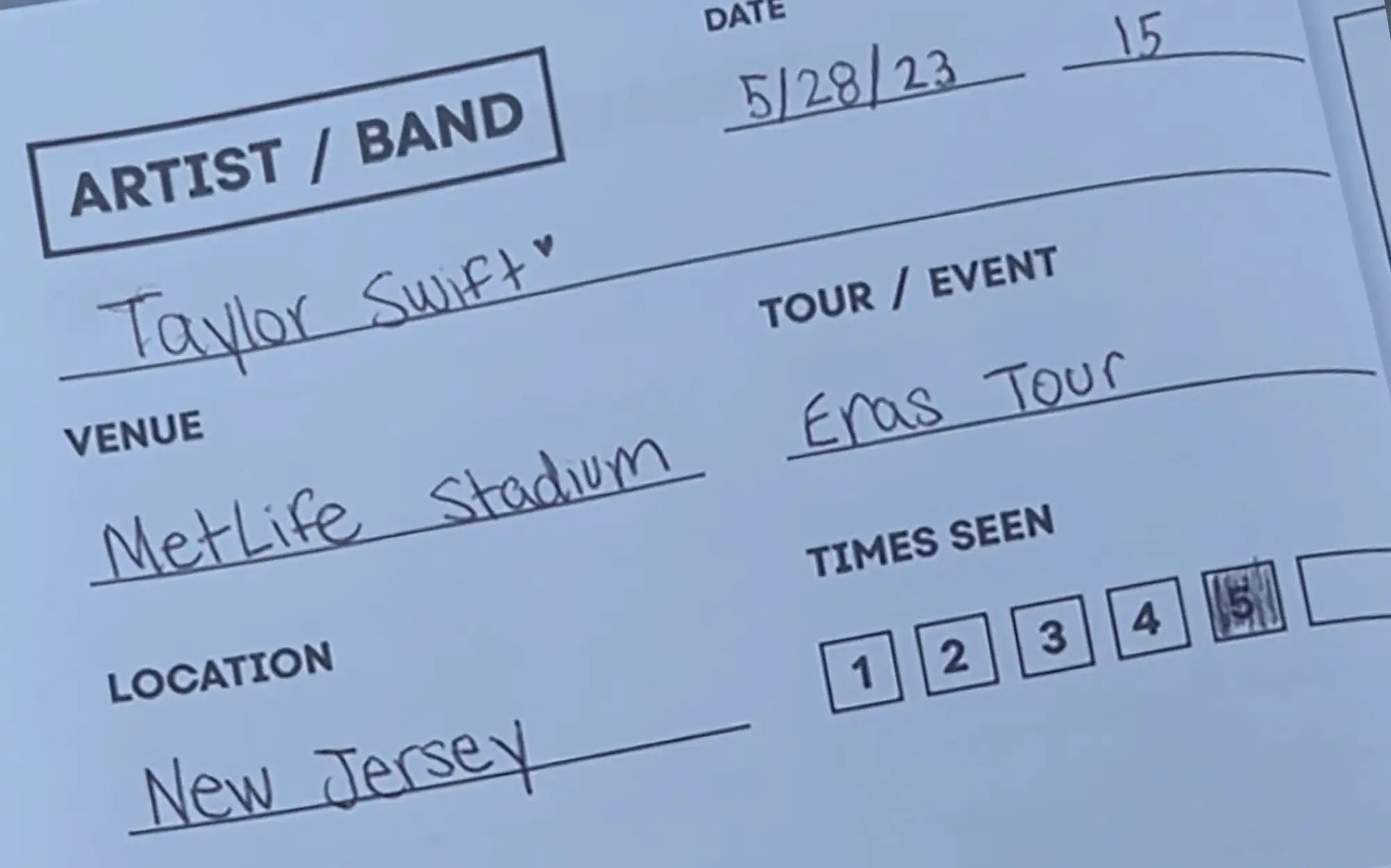
A concert tracker is a tool that logs every show you've attended, helping you maintain your complete concert history with dates, artists, venues, and stats. The format varies (app, spreadsheet, physical logbook), but the purpose is the same: building a searchable record of your live music experiences. For a deep dive into one option, see our complete guide to the Concerts Remembered app.
What a Concert Tracker Does
At its core, a tracker answers the question: "What concerts have I been to?"
Most trackers capture:
- Artist/band name for each show
- Date of the performance
- Venue and location
- Basic notes or ratings
More sophisticated trackers add:
- Automatic stats (total shows, most-seen artist, venues visited, shows per year)
- Setlist integration (what songs were played)
- Photo storage (images tied to specific shows)
- Upcoming show tracking (concerts you have tickets for, with countdowns)
- Milestones and achievements (your 100th show, first time seeing an artist)
- Shareable cards or summaries (year-in-review exports)
The value compounds over time. A tracker with 10 shows is useful. A tracker with 200 shows reveals patterns about your concert life you'd never notice otherwise. Things like: you've been to the same venue 14 times, or you averaged 8 shows a year in your twenties and dropped to 3 after your first kid.
Types of Concert Trackers
Dedicated Concert Tracker Apps
Purpose-built apps designed specifically for logging shows. They typically include:
- Quick logging (add a show in under a minute)
- Automatic stats and insights
- Setlist lookups
- Social features (sharing, comparing with friends)
- Photo galleries tied to shows
The Concerts Remembered app is one example. You log shows with artist, venue, date, and location, then add photos, ratings, memories, and setlists when you have time. The app tracks your stats automatically and lets you create shareable concert cards.
Spreadsheets
Google Sheets or Excel spreadsheets give you complete control over what you track. You design the columns, the formatting, everything.
Pros: Free, private, fully customizable, you own your data completely.
Cons: Manual setup, no prompts or guidance, no automatic stats (unless you build formulas), easy to abandon without structure.
Spreadsheets work best for people who enjoy building systems and will actually maintain them. If you've ever abandoned a spreadsheet after 6 entries, you already know whether this is you.
For a deeper comparison of how these stack up against each other, our concert tracker app vs. spreadsheet vs. journal breakdown goes into the tradeoffs in detail.
Setlist.fm
Setlist.fm is primarily a setlist database, but it has a tracking feature. You can mark "I was there" on any show and build a list of concerts attended.
Pros: Huge database (over 10 million setlists), setlist data included, community-maintained.
Cons: Limited personal notes, not designed for personal memory capture, no stats beyond a list.
It's useful for finding setlists but limited as a personal concert archive. If your main goal is finding what songs were played at a past show, setlist.fm is the go-to. If you want to actually remember what the night felt like, you'll need something more.
Physical Concert Journals with Logging Pages
Some physical journals include quick-log pages for basic tracking alongside deeper journaling prompts. The Snapshot Edition holds 100 concerts with one page each, designed for quick entries rather than deep reflection.
Pros: Tangible, doesn't require charging, can store memorabilia alongside entries.
Cons: Not searchable, no automatic stats, requires more time than an app.
Below, you can see an example of a prompted concert journal that makes it easy to remember what's important.

Concert Tracker vs. Concert Journal
These terms get used interchangeably, but they serve different purposes. If you're not sure which one you actually need, here's the honest breakdown:
| Concert Tracker | Concert Journal | |
|---|---|---|
| Focus | Data: what, where, when | Experience: how it felt, what you'll remember |
| Primary output | Searchable list with stats | Written entries with context and emotion |
| Time per entry | 30 seconds to 2 minutes | 5 to 20 minutes |
| Best for | Complete history, patterns, quick logging | Deep reflection, memorabilia, artifact creation |
| Format | Usually digital | Usually physical (though digital journals exist) |
Many fans use both: a tracker for the complete list and quick logging, a journal for the 3-5 shows per year that deserve deeper reflection. Neither replaces the other. A tracker tells you that you saw Phoebe Bridgers at the Greek Theatre on June 12th. A journal tells you that the sun was setting during "Moon Song" and the stranger next to you was crying.
For more on the journaling side, what is a concert journal explains how journals work and who they're best for.
Why Track Concerts at All?
Know your actual history. Most people can't answer "how many concerts have you been to" with any confidence. They guess, and they're almost always wrong. Trackers give you the real number plus context. It turns "I go to a lot of shows" into "I've been to 73 shows across 28 venues in 4 states."
See patterns. How has your attendance changed over time? Who have you seen most? Which venue do you visit most often? You can't see patterns you don't track. Some people discover they've seen the same artist 9 times without realizing it. Others find they went to 15 shows in 2019 and only 3 in 2020 (no surprise there).
Prevent forgetting. Even a basic log (artist, date, venue) dramatically improves recall compared to relying on memory alone. The random Tuesday show from four years ago? Without a record, it's gone. With one, seeing the entry brings the whole night back: the venue, the friend who came with you, the opener you'd never heard of who turned out to be incredible.
Create a shareable record. Year-in-review summaries, lifetime stats, concert cards for social media. Trackers turn your concert history into something you can actually show people, instead of just saying "I've seen a lot of shows" and hoping they take your word for it.
Frequently Asked Questions
What's the best concert tracker app?
It depends on what you want. Setlist.fm is best for setlist data and marking attendance across a massive database. The Concerts Remembered app focuses more on personal memory capture (photos, ratings, detailed memories, stats, and shareable concert cards). For pure data logging with full customization, a spreadsheet still works. There's no single "best" because the right tool depends on whether you care more about data, memories, or both.
Is there a Letterboxd for concerts?
This is one of the most common requests in the live music community, and the answer is yes. See our full guide: Is there a Letterboxd for concerts? The Concerts Remembered app is one option that works similarly: you log shows, rate them, add details, and build a visual history of your concert life. The main difference from Letterboxd is that concert tracking has extra complexity (multiple artists per show, festivals, setlists) that film logging doesn't.
Can I track concerts I went to years ago?
Yes. Most tracker apps and spreadsheets let you add past shows. The challenge is remembering them. Start with email confirmations (search Ticketmaster, AXS, StubHub in your inbox), then check your camera roll by date, and ask friends who went with you. Setlist.fm's tour history pages are useful for confirming dates and venues. For a full walkthrough, our guide on how to find your concert history covers every method.
How is a concert tracker different from a concert journal?
A tracker focuses on data: the who, where, and when of every show. A journal focuses on experience: how it felt, what you'll remember, the stories behind the stats. Trackers are quick (30 seconds per entry). Journals take more time (5-20 minutes) but capture the stuff that makes a concert worth remembering. Many people use both.
What should I track for each concert?
At minimum: artist, date, venue, and city. That's enough to build a searchable history. Beyond that, the most valuable additions are who you went with (you'll forget this faster than anything), a 1-5 rating, and one sentence about the standout moment. Photos tied to specific shows also help enormously with recall later.
Do festival sets count as separate concerts?
There's no universal rule, but most people count individual sets they actually watched. Walking past a stage doesn't count. Standing in the crowd for a full set does. A three-day festival might count as 1 event or 12 individual sets depending on how you track. The important thing is being consistent with your own system.
Is there a free concert tracker?
Setlist.fm's "I was there" feature is free and lets you mark attendance. The Concerts Remembered app is free to use for logging shows. Google Sheets or Excel is free and fully customizable. You don't need to pay anything to start tracking your concert history.
Should I use an app or a physical journal to track concerts?
If you want speed, searchability, and automatic stats, use an app. If you want a tangible artifact you can flip through and store memorabilia in, use a physical journal. If you attend a lot of shows, the app for everything and the journal for the standout shows is a combination that works well. For a detailed breakdown, see app vs. physical journal: which is right for you.
Share: