

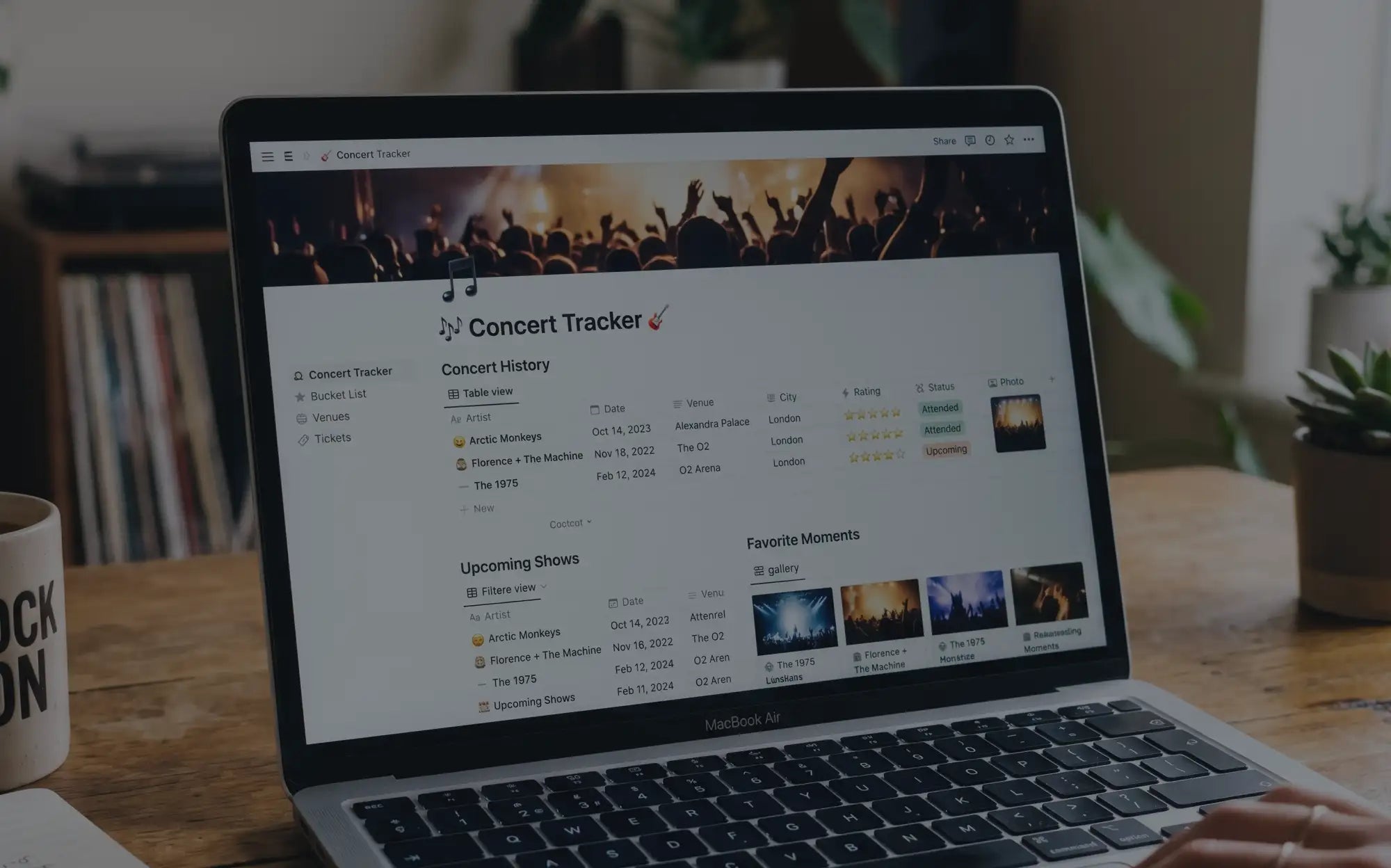
You found a Notion concert tracker template. Or you built one yourself, because you're the kind of person who builds things in Notion. It looked perfect: clean database, custom fields, room for photos and notes and ratings. You were going to document every show.
Six months later, you've logged maybe four concerts. The database sits there, half-empty, a monument to good intentions. And every time you go to a show, you think "I should add this to Notion" and then you don't.
The problem isn't discipline. It's the tool.
Notion is genuinely excellent software. But concert memories are a specific use case that general-purpose tools handle poorly. If you're building a concert journaling habit, understanding why matters more than trying harder.
Why Notion Seems Like a Good Idea
Let's be fair to Notion. The appeal is real.
You like systems. You like control. You like building things yourself. Notion gives you all of that. You can create exactly the fields you want: artist, date, venue, rating, setlist, notes, photos. You can add tags, filters, views. You can make it pretty.
On day one, your concert database looks incredible. Clean rows, satisfying structure, infinite potential. You add your first show and it feels like the start of something.
This is where most people stop. Not because they planned to stop, but because the system that looked perfect in theory breaks down in practice.
Where It Actually Breaks Down
Here's what happens in the real world:
No prompts means blank page paralysis. You open the entry, stare at the empty "Notes" field, and freeze. What do you write? You type "great show" and close it. Or you type nothing at all, planning to come back later. You won't come back later.
Prompted journals work because the questions are already decided. "How did you feel leaving?" is a specific question with a specific answer. "Notes" is an abyss.
Photos live somewhere else. Notion can embed photos, sure. But now you're managing two systems. You have to export from your camera roll, upload to Notion, resize things, position them correctly. Most people do this once, maybe twice, then never again. The photos stay on your phone, disconnected from the entry they belong to.
There's no setlist integration. After every concert, someone posts the setlist to setlist.fm within hours. A purpose-built concert tool can pull that data. Notion can't. So you either manually copy 18-22 songs into your database every time, or you skip it entirely. You skip it entirely.
Stats don't calculate themselves. Notion can technically do formulas and rollups. But you have to build them. How many shows have you been to? Which artist have you seen most? What's your busiest concert month? These questions require actual database work. Most people don't do the work. The data sits there, inert.
It becomes a chore. The flexibility that made Notion appealing becomes friction. Every entry requires decisions. Which view should you use? Did you set up the rating field correctly? Is this photo the right size? The cognitive overhead adds up. You start skipping shows. Then you stop entirely.
The Deeper Problem
Here's what Notion gets wrong about concert documentation: it optimizes for power users with time and energy. Concert memories need the opposite.
You're not logging concerts at your desk on a Saturday morning with a cup of coffee and an hour to spare. You're logging them at 11:47pm on a Tuesday, exhausted, ears still ringing, sitting on your couch in the clothes you wore to the venue. You have maybe 90 seconds of motivation before you fall asleep or start scrolling your phone.
In that 90-second window, every bit of friction matters. "Open Notion, find the database, create a new entry, fill in fields, wonder what to write, give up" is too many steps. The best concert documentation system is the one you'll actually use at 11:30pm on a Tuesday when you're tired and buzzing and just want to capture something before you forget.
Notion optimizes for flexibility. Concert memories need friction reduction.
What Actually Works
Purpose-built tools solve most of these problems by design.
Prompts instead of blank fields. Instead of "Notes," you get "What was the best song?" and "How did you feel leaving?" and "Who did you go with?" The questions do the thinking for you. You answer them instead of staring at empty space.
Quick logging that takes under 60 seconds. The Concerts Remembered app lets you log a show in 30 seconds. Artist, date, venue, done. You can add depth later (ratings, memories, photos) when you have time, but the core capture happens fast.
Stats that calculate themselves. Total shows, most-seen artists, busiest months, venue counts. These just appear as your log grows. No formulas to build. No views to configure.
Photos that belong to the entry. Add photos directly to a concert, and they stay with that concert. No separate upload process. No managing two systems.
If you prefer paper, the Classic Edition journal gives you four pages per concert with specific prompts. You're not staring at blank pages wondering what to write. The structure is already there.
If Your Notion System Is Working, Keep It
Some people genuinely do maintain concert databases in Notion. If that's you, and you're actually logging shows consistently, don't switch. The best system is the one you use.
But if you built something six months ago and haven't touched it since? If you keep meaning to add shows and then don't? If your database has four entries and a lot of good intentions?
The problem isn't you. It's the tool. Concert memories are a specific job, and general-purpose software handles it poorly. You're not bad at tracking concerts. You were using the wrong tool for this particular job.
Frequently Asked Questions
Can I import my Notion concert data into the Concerts Remembered app?
Not automatically, but if you have a Notion database with artist names, dates, and venues, you can manually add those shows to the app. It takes about 30 seconds per concert. Most people find that re-entering the data actually helps them remember details they'd forgotten.
What's wrong with using a spreadsheet for concert tracking?
Same problems as Notion: no prompts, no stats, photos don't integrate, and it becomes a chore. Spreadsheets are slightly faster to open but equally likely to be abandoned. We compared the options in concert tracker app vs. spreadsheet vs. journal.
What if I've already built a Notion system that works for me?
Keep using it. If you're consistently logging shows and the system serves you well, don't fix what isn't broken. This article is for people whose Notion databases are half-empty monuments to good intentions.
How is a dedicated concert app different from Notion?
Three things: prompts (you answer questions instead of staring at blank fields), speed (logging takes 30 seconds, not 5 minutes), and automatic stats (total shows, most-seen artists, busiest months calculate themselves). The app is designed for one job. Notion is designed for everything.
Do I need an app, or can I just use a physical journal?
Either works. The 5-minute post-concert rule applies to both. The key is using something with prompts that reduce friction. A blank notebook has the same problems as Notion. A prompted journal or purpose-built app solves them.
Why do I keep abandoning concert tracking systems?
Usually friction. Every extra step between "I just got home from a show" and "I've captured something" increases the chance you'll skip it. Notion has too many steps. Purpose-built tools minimize steps. The difference between 30 seconds and 5 minutes is often the difference between logging consistently and giving up.
Start Capturing Shows You'll Actually Remember
The Concerts Remembered App logs shows in 30 seconds with prompts that do the thinking for you.
The Concerts Remembered Journal gives you four pages per concert with specific prompts, plus pockets for ticket stubs and memorabilia.
Share: