

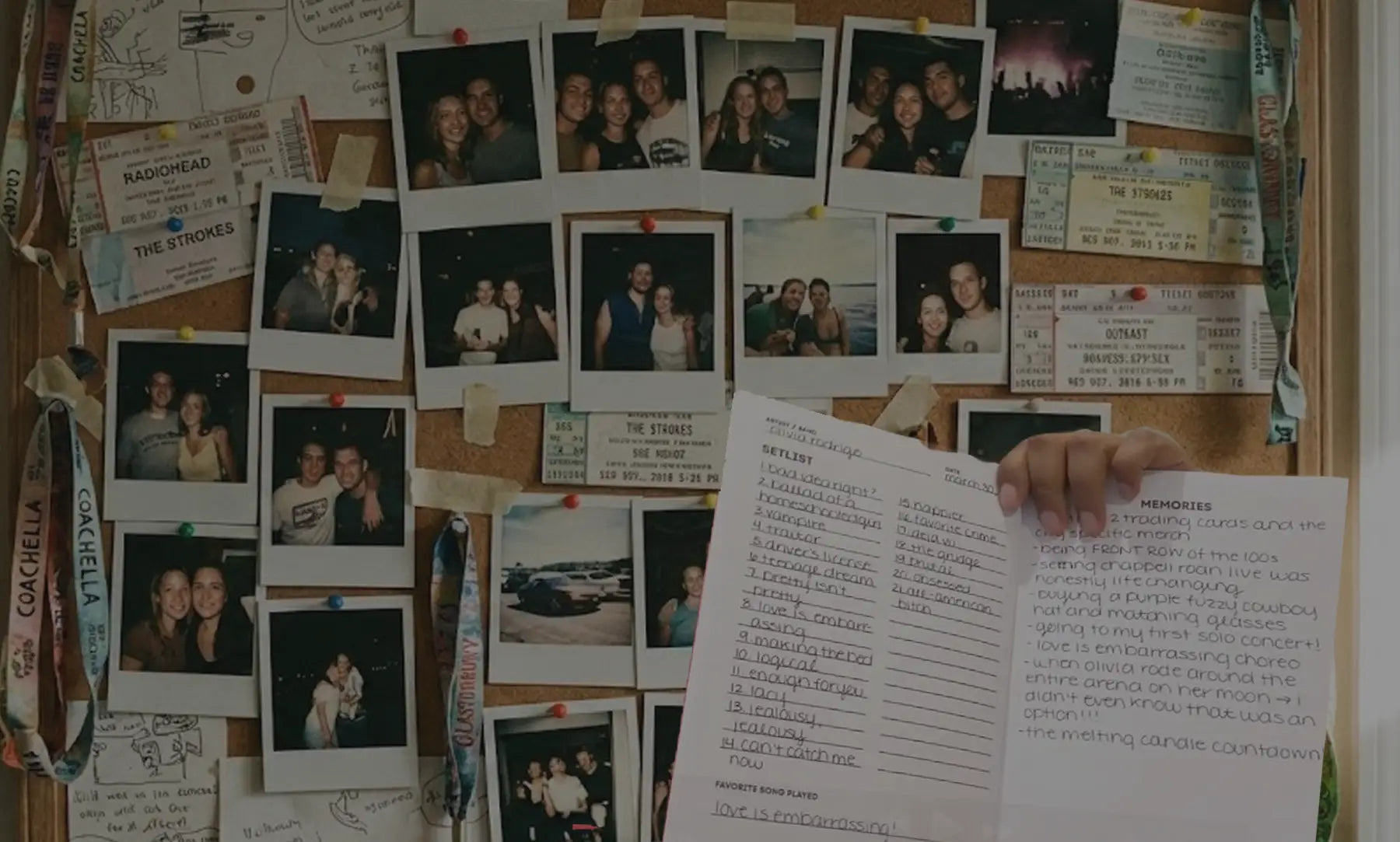
You've been to dozens of concerts. Maybe hundreds. But if someone asked you to list them all, you'd struggle after the first ten or fifteen.
Your concert history is worth preserving. Not in scattered notes or vague memories, but in a real archive you can search, browse, and revisit. This guide shows you how to build one, whether you're starting from scratch or finally getting organized after years of shows. For a deeper dive into the journaling approach, see our complete guide to concert journaling.
Why Build an Archive Now
Every show you attend becomes harder to remember the longer you wait. Details that feel permanent today (the setlist, where you stood, who you went with) fade faster than you expect.
An archive gives you:
- A complete record you can actually reference
- Patterns you'd never notice otherwise (most-seen artist, busiest year, favorite venues)
- Memory anchors that bring experiences back
- Something to show, share, and revisit
The best time to start was before your first concert. The second best time is now.

Step 1: Brain Dump Your Past Shows
Start messy. Grab a piece of paper, open a blank doc, or use your phone's notes app. Write down every concert you remember attending.
Don't worry about:
- Exact dates
- Correct order
- Whether you're forgetting some
Just get them out of your head. This initial list is your foundation. You'll refine it later.
Try working backward from recent shows, then jumping to memorable ones from years ago. Different approaches unlock different memories.
Step 2: Fill in the Gaps
Your brain dump is incomplete. Use external sources to recover shows you've forgotten:
| Source | What to Search |
|---|---|
| "Ticketmaster," "AXS," "Live Nation," venue names | |
| Camera roll | Browse by date or search by venue location |
| Bank statements | Ticket vendor names, venue charges |
| Setlist.fm | Browse shows at venues you've attended |
| Social media | Old posts, check-ins, tagged photos |
| Friends | Their photos, their memories, their ticket stubs |
See How to Find Your Concert History for a complete recovery guide.
Already have a history logged on another platform? That is a head start, not a dead end. Our Concert Archives comparison covers how to bring an existing list over in minutes instead of retyping it.
Step 3: Choose Your System
You need somewhere to put all this. Three main options:
Concert Tracker App
Best for: Quick logging, automatic stats, searchability, always-with-you access
The Concerts Remembered App lets you log shows in 30 seconds with artist, venue, date, and location. Add photos, ratings, and memories when you have time. The app tracks your stats automatically.
Choose this if: You want speed and convenience, care about stats, or are catching up on a long history.
Physical Concert Journal
Best for: Deep reflection, storing memorabilia, creating a tangible artifact
The Concerts Remembered Journal gives you prompts for every entry plus pockets for ticket stubs, wristbands, and photos.
Choose this if: You value the ritual of writing, want a physical keepsake, or have memorabilia to preserve.
Spreadsheet
Best for: Full control, customization, data ownership
Google Sheets or Excel give you complete control over what you track and how you organize it.
Choose this if: You enjoy building systems and will actually maintain them without external structure.
The "Both" Approach
Many fans use both an app and a journal. Quick-log every show in the app for searchability and stats. Write deeper journal entries for the 3-5 shows per year that really mattered.

Step 4: Build the Habit
Systems only work if you use them. The key to concert documentation is consistency, not perfection.
The 48-hour rule: Log shows within 48 hours while details are fresh. Set a phone reminder if needed. After 48 hours, you've already started forgetting.
Start small: One sentence counts. Artist, date, venue, and one highlight is enough. You can always add more later.
Attach it to something you already do: The car ride home. The post-show meal. Morning coffee the next day. Link documentation to an existing routine.
Accept imperfection: Incomplete entries are valuable. Messy handwriting is fine. Crossed-out words are fine. Something is infinitely better than nothing.
Step 5: Go Deeper on Shows That Matter
Not every concert needs a full entry. Quick-log the routine shows. Save detailed documentation for the ones that meant something.
For deep entries, capture:
- How you felt before and after the show
- The moment that hit hardest
- Setlist highlights and surprises
- Who you were with and why it mattered
- What you'd tell someone who wasn't there
- Which concert archetypes you encountered (or became)
See The Best Concert Journal Prompts for questions that create entries worth rereading.
What to Track for Every Show
At minimum, record:
- Date
- Artist/band
- Venue and city
- Who you went with
For richer memories, add:
- Your rating
- Setlist highlights
- How you felt during the show
- Memorable moments or surprises
- What you wore
- Photos from the night
The basics take 30 seconds. The extras take a few minutes. Both create value.
FAQ
How do I start if I have years of concerts I never documented?
Start with a brain dump of everything you remember, then use email, photos, and bank statements to fill gaps. Log past shows in the app or a quick-log format first (just basics), then add depth as memories surface.
What's the best way to track concerts?
The best system is the one you'll actually use. For most people, an app is fastest. For deeper reflection, a journal works better. Many fans use both.
How long does it take to document a concert?
A quick log takes 30 seconds to 2 minutes. A detailed journal entry takes 5-20 minutes. You control the depth.
Should I document every concert I attend?
Ideally, yes. You won't know which shows matter most until years later. Quick-log everything, go deep on the ones that hit.
What if I miss the 48-hour window?
Document it anyway. A late entry is still better than no entry. You'll remember more than you think, and external sources (setlist.fm, photos) can fill gaps.
Can I use a spreadsheet and an app together?
Yes. Some people use an app for logging and export to a spreadsheet for backup or custom analysis.
What if I'm not a good writer?
You don't need to be. Lists work. Bullet points work. One sentence works. This isn't creative writing. It's leaving breadcrumbs for future you.
Is it too late to start?
No. You can document shows going forward regardless of how many you've missed. And you can often recover more past shows than you expect using the techniques in How to Find Your Concert History.
Start Building Your Archive
The Concerts Remembered App lets you log shows in 30 seconds and tracks your stats automatically. Perfect for quick logging and catching up on past shows.
The Concerts Remembered Journal gives you prompts for every entry plus pockets for ticket stubs and memorabilia. Perfect for shows that deserve deeper reflection.
Share: